
baldur's gate 3
Baldur’s Gate 3 is a story-rich, party-based RPG set in the world of Dungeons & Dragons, where player choices shape relationships, alliances, and the fate of the world through a journey of survival, sacrifice, and power.
ROLE
UX Designer
TEAM
Larian Studios
PLATFORM
PC/Console
YEAR
2024
OVERVIEW
For Baldur’s Gate 3, I partnered with Larian Studios to consult on UX for a deeply systemic, choice-driven RPG experience. My work focused on supporting player clarity and interaction design within a world rich with narrative depth, layered systems, and meaningful decision-making.
APPROACH
The challenge with CRPG design is balancing complexity with usability. Rather than reducing systems, the approach centered on helping players navigate them more naturally through clearer interactions, improved flow, and thoughtful quality-of-life improvements that respected the depth of the experience.
REDESIGN OF COMBAT MENU
Research
PLAYTESTING
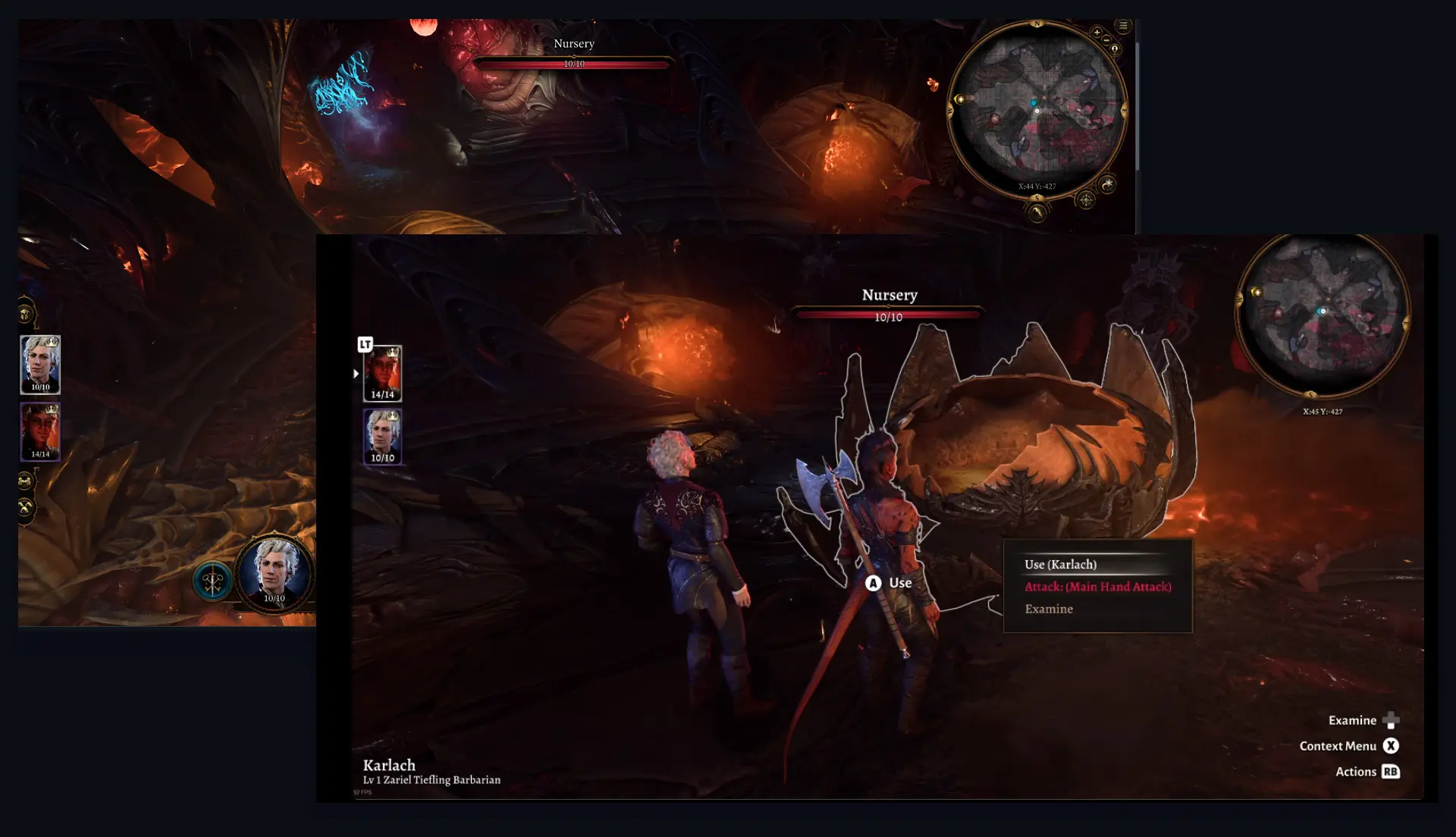
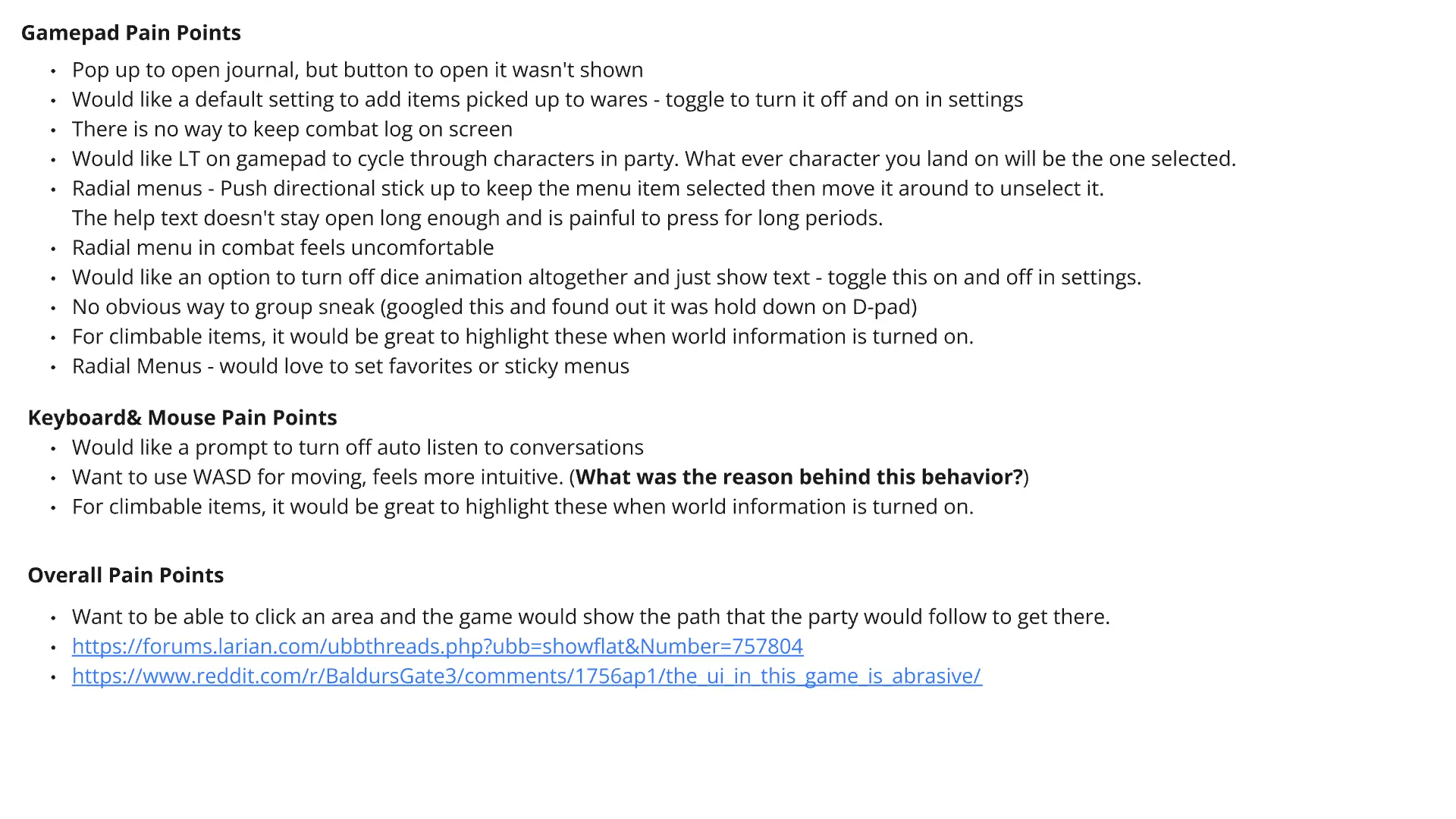
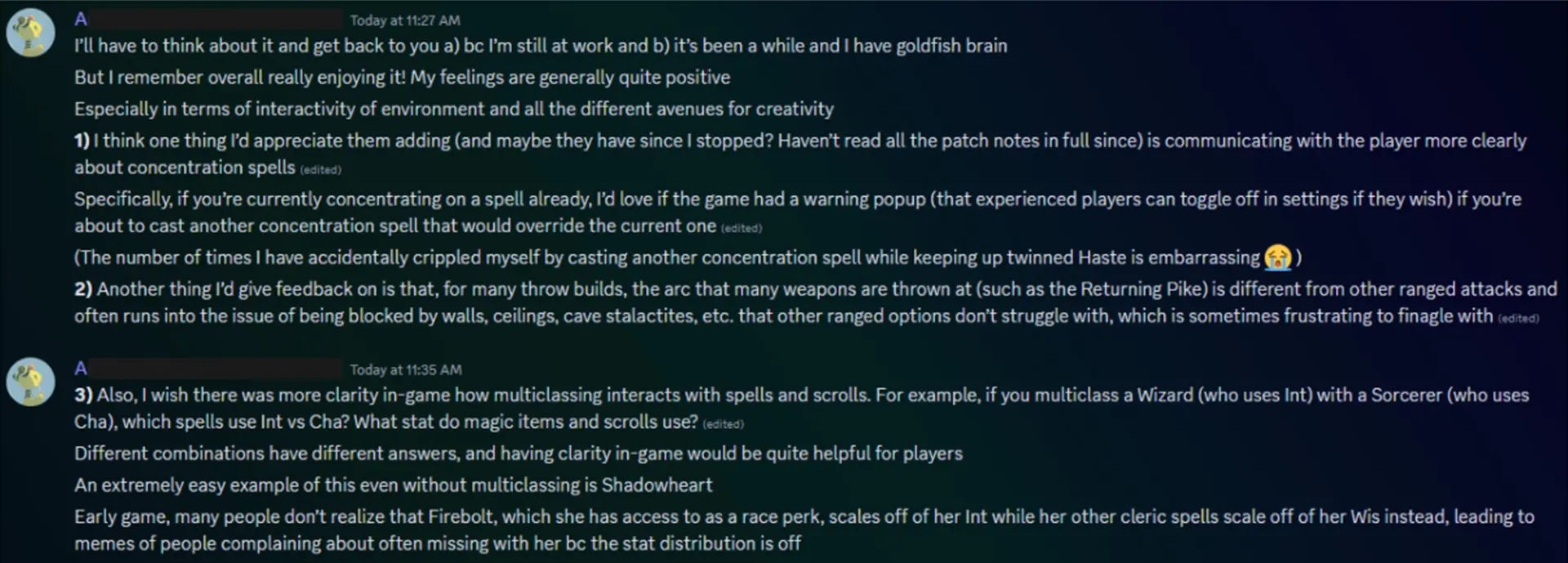
To better understand player friction across both input methods, I conducted internal playtesting on keyboard/mouse and gamepad while also reviewing community feedback across forums and player discussions. While keyboard and mouse felt generally more intuitive, the gamepad experience revealed several usability challenges, particularly around radial navigation, discoverability, and key interactions like group sneak and journal access. These findings helped identify opportunities for UX refinements and quality-of-life improvements aimed at creating a more cohesive and approachable experience across both control schemes.
SCREENSHOTS FROM PLAYTEST
SOCIAL MEDIA INTERVIEWS
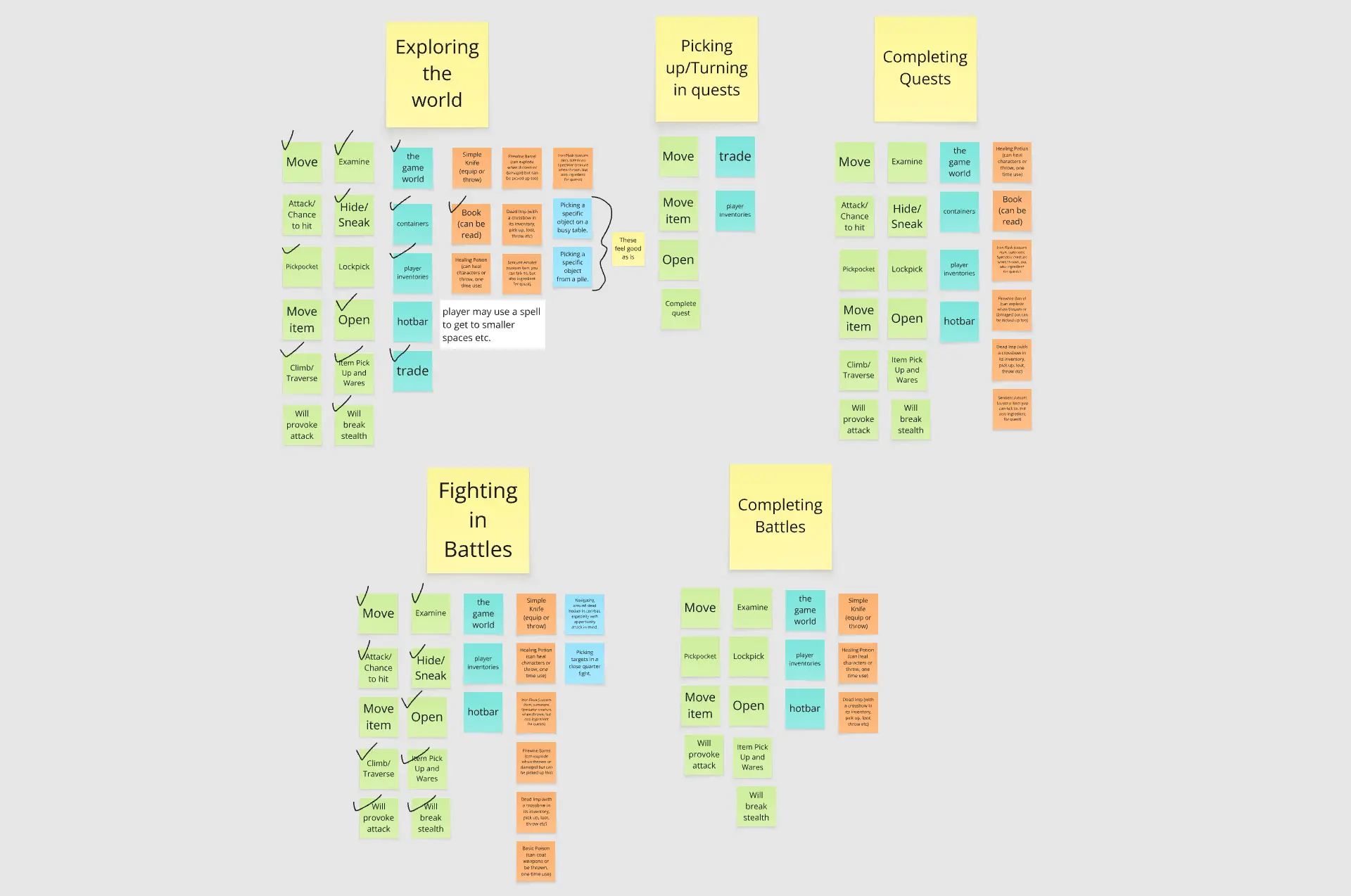
CARD SORT
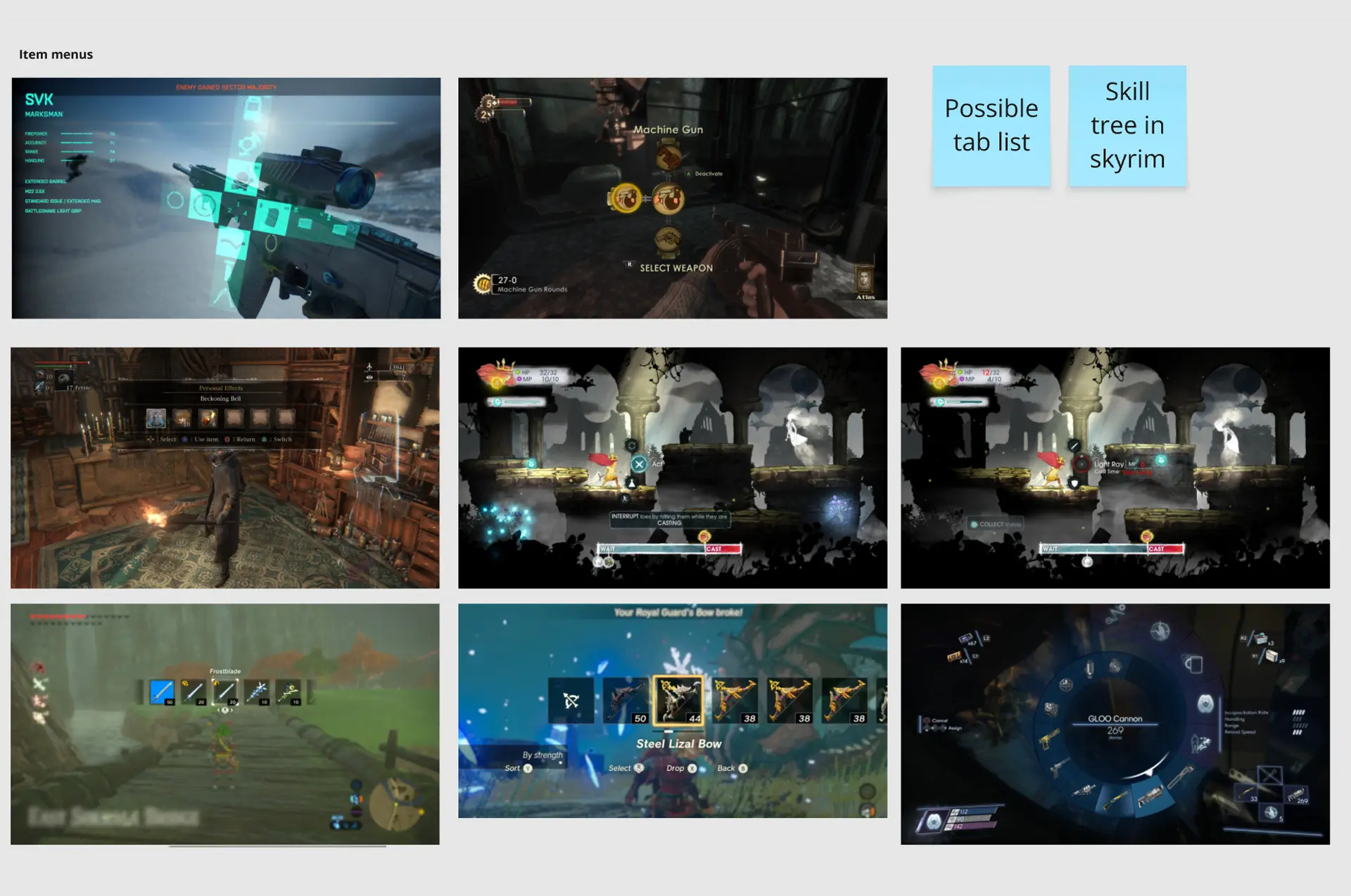
COMPETITIVE ANALYSIS

Wireframe Redesigns
LOOTING CONTAINERS
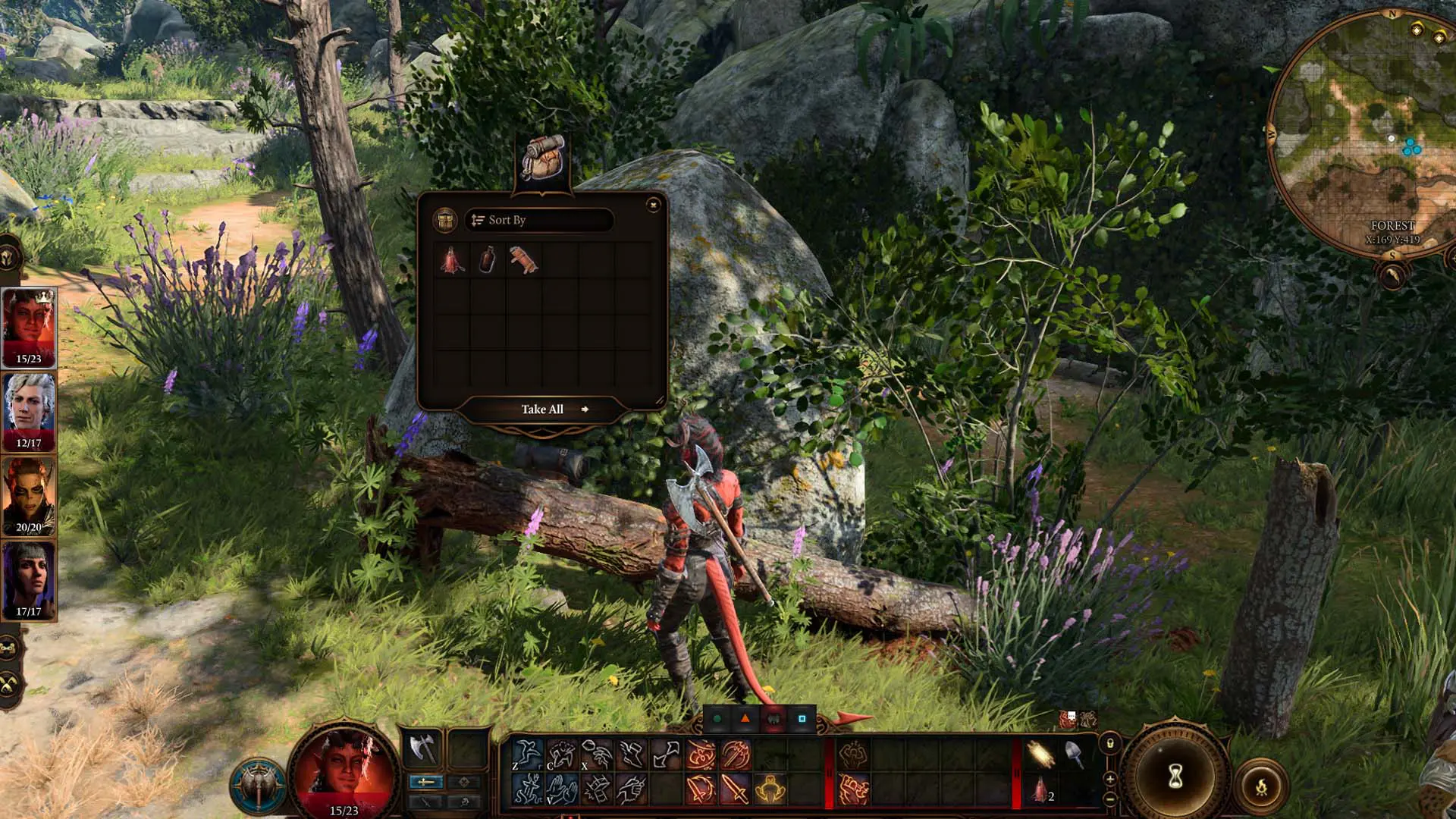
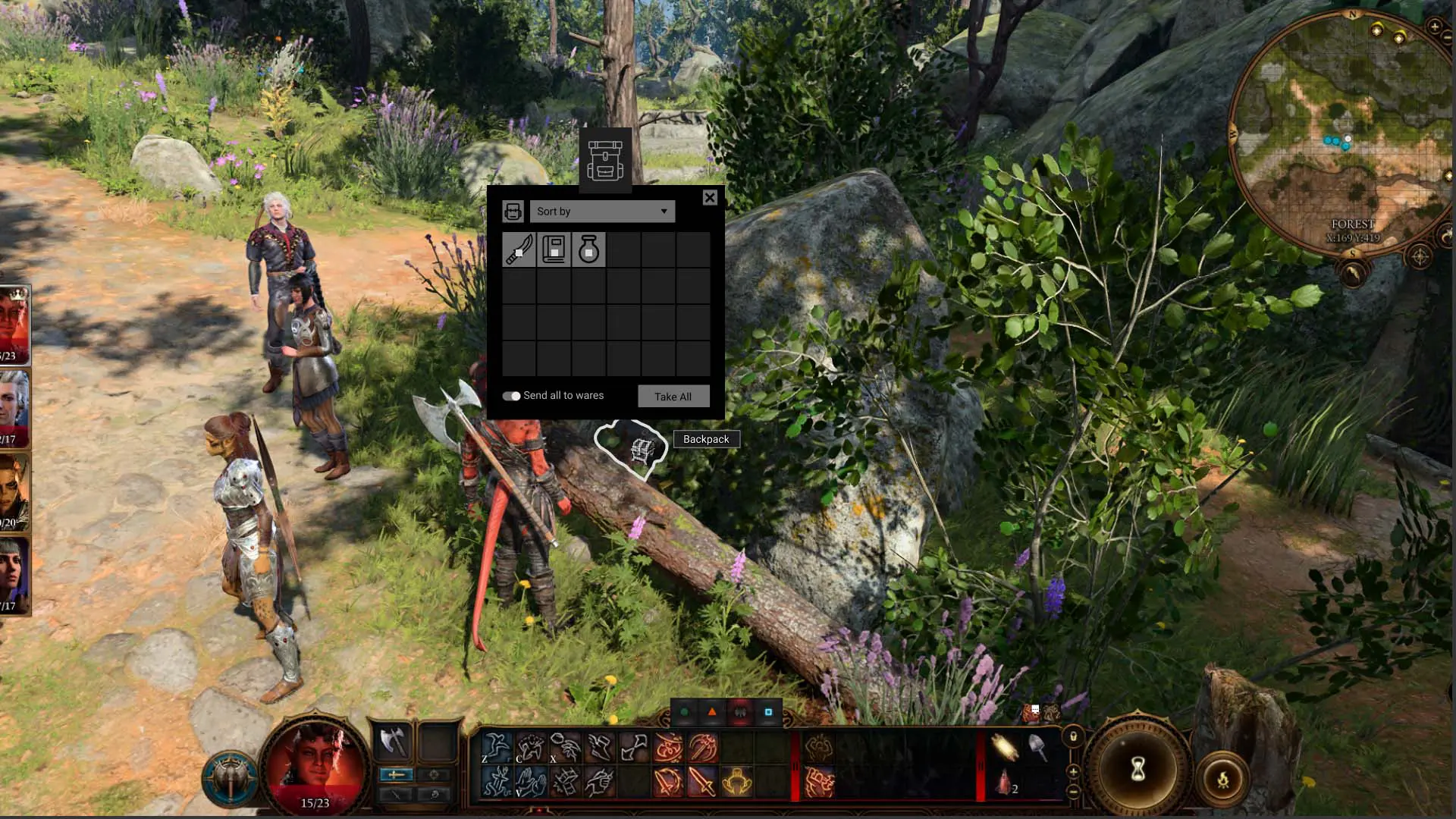
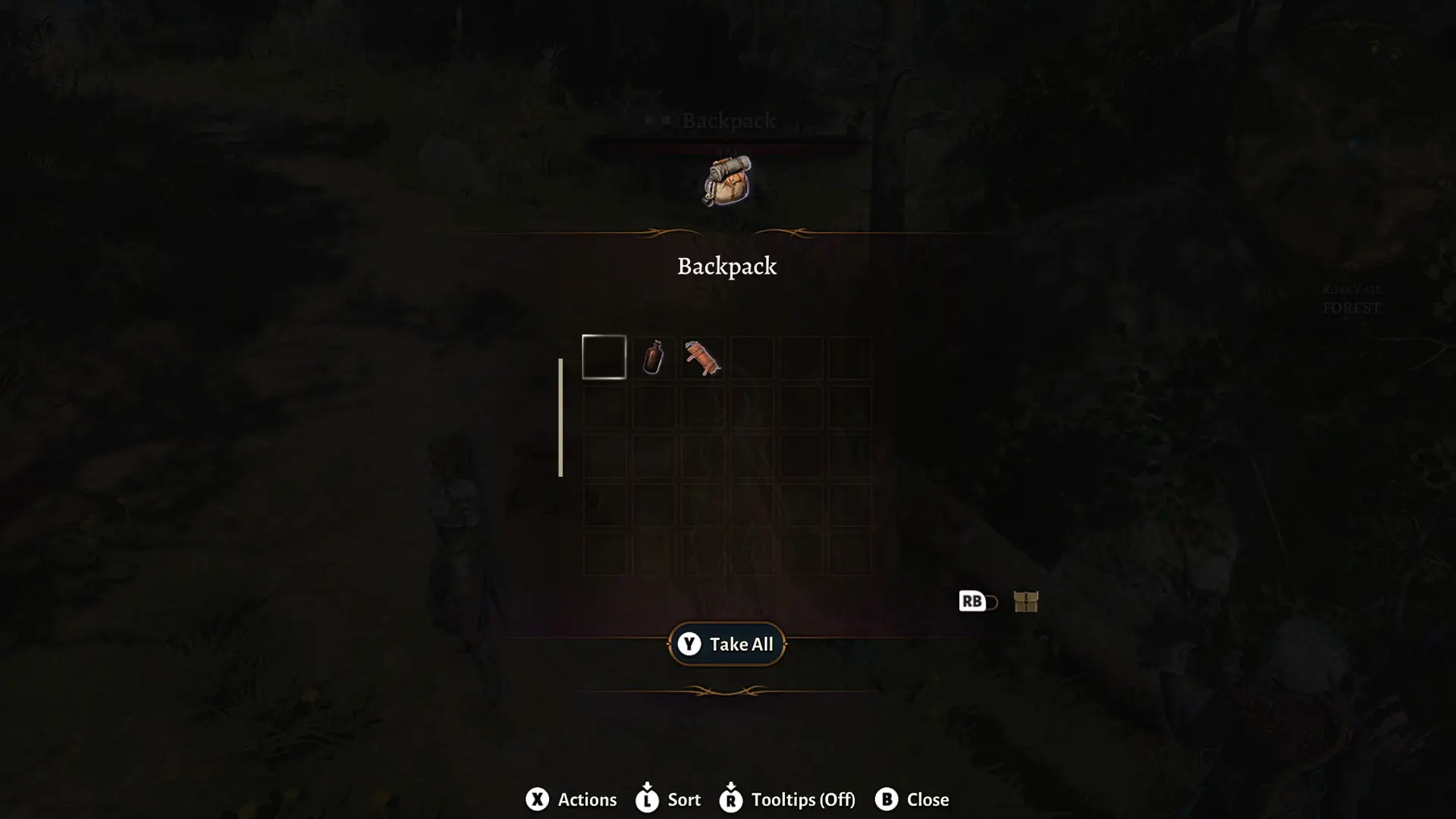
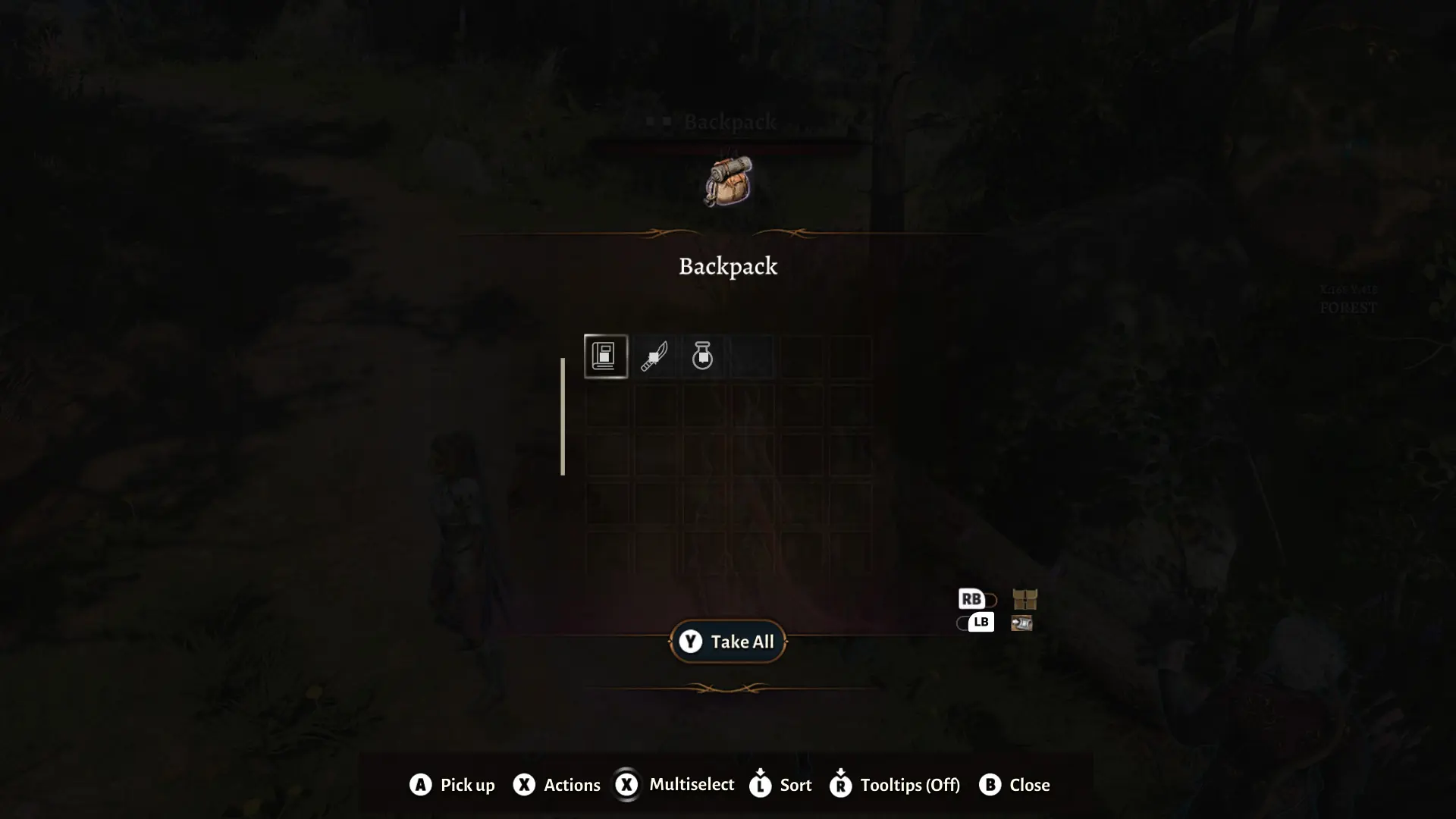
Looting is a core part of Baldur’s Gate 3, but inventory management introduced a few points of friction, particularly around marking items for sale and managing wares. The redesign focused on improving flow while keeping familiar interaction patterns intact.
To streamline the experience, I introduced a toggle that allowed players to instantly send items to wares directly from the container, alongside a clearer sorting menu. These small quality-of-life improvements helped reduce inventory friction and keep players focused on exploration and adventure.
MOVE THE SLIDER TO SEE A BEFORE AND AFTER COMPARISON
MOUSE AND KEYBOARD
GAMEPAD
INVENTORY
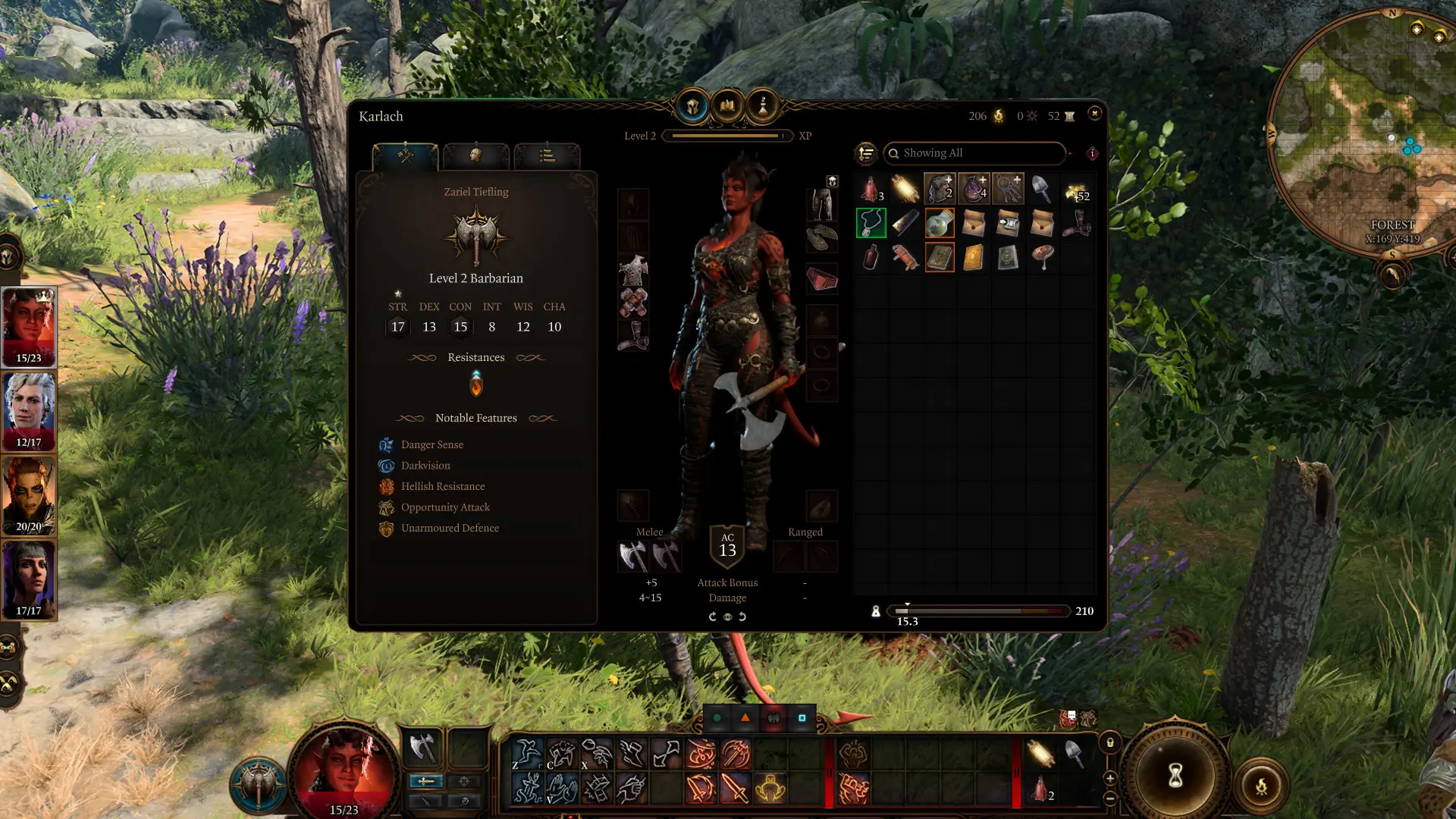
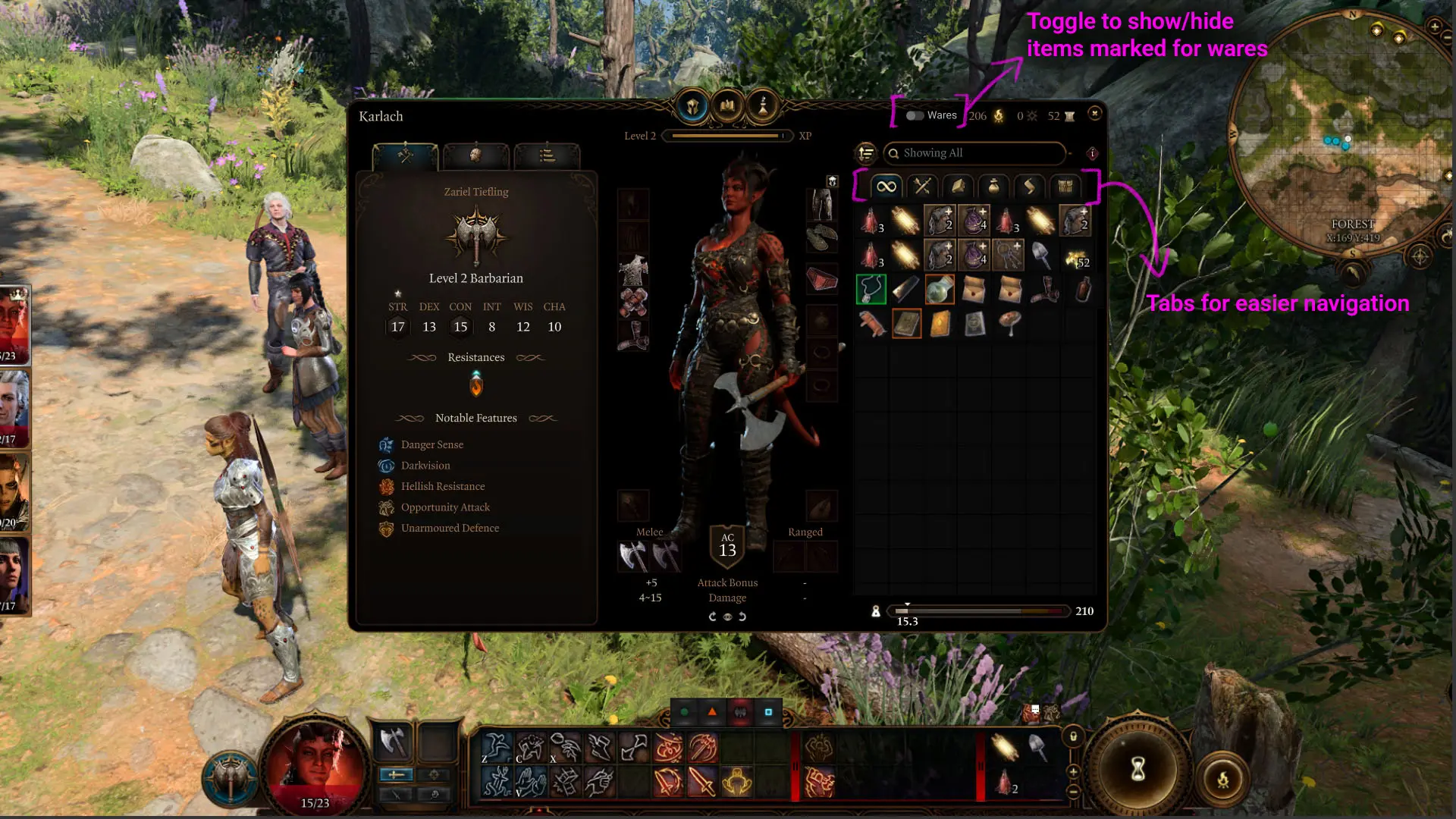
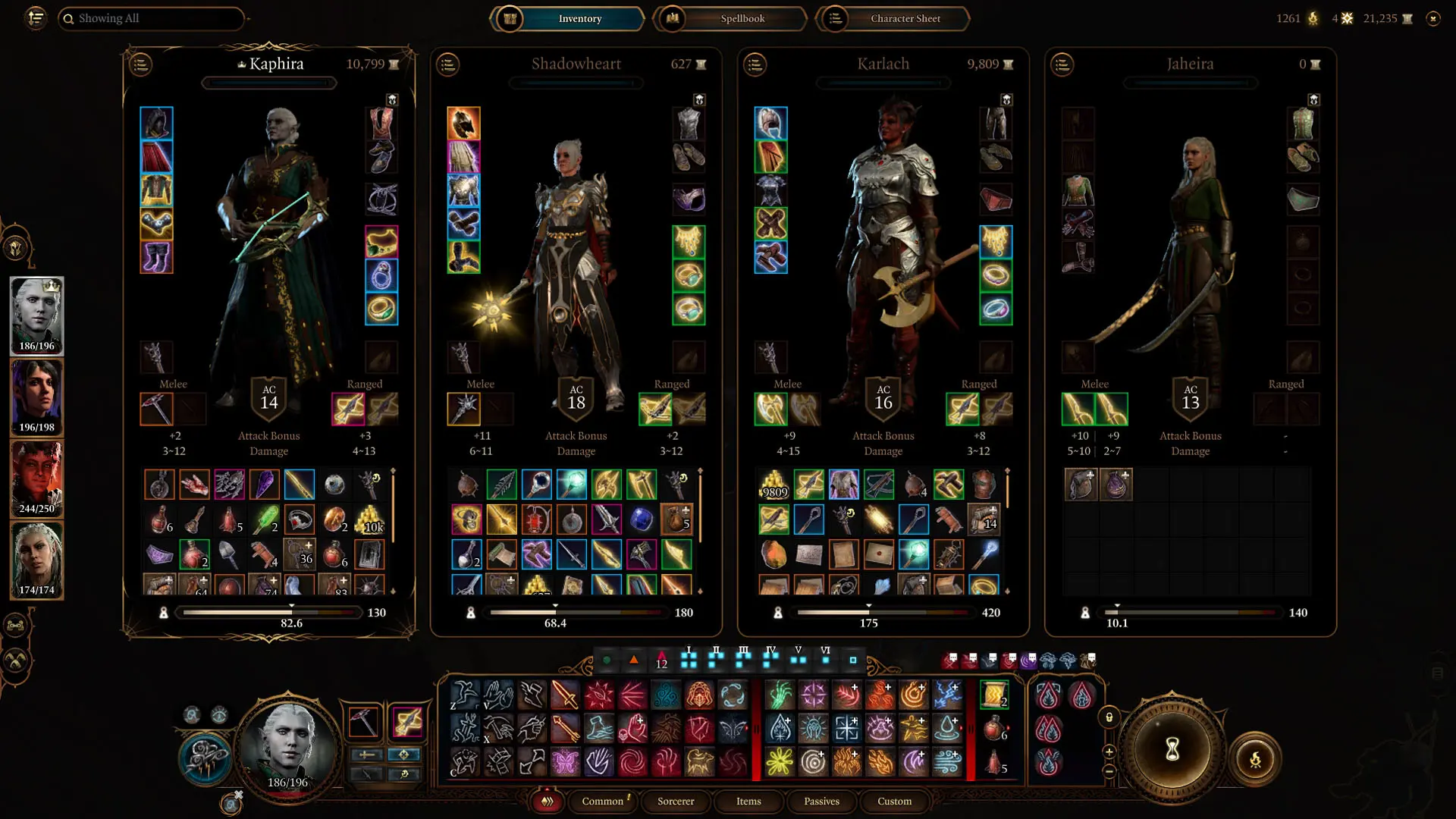
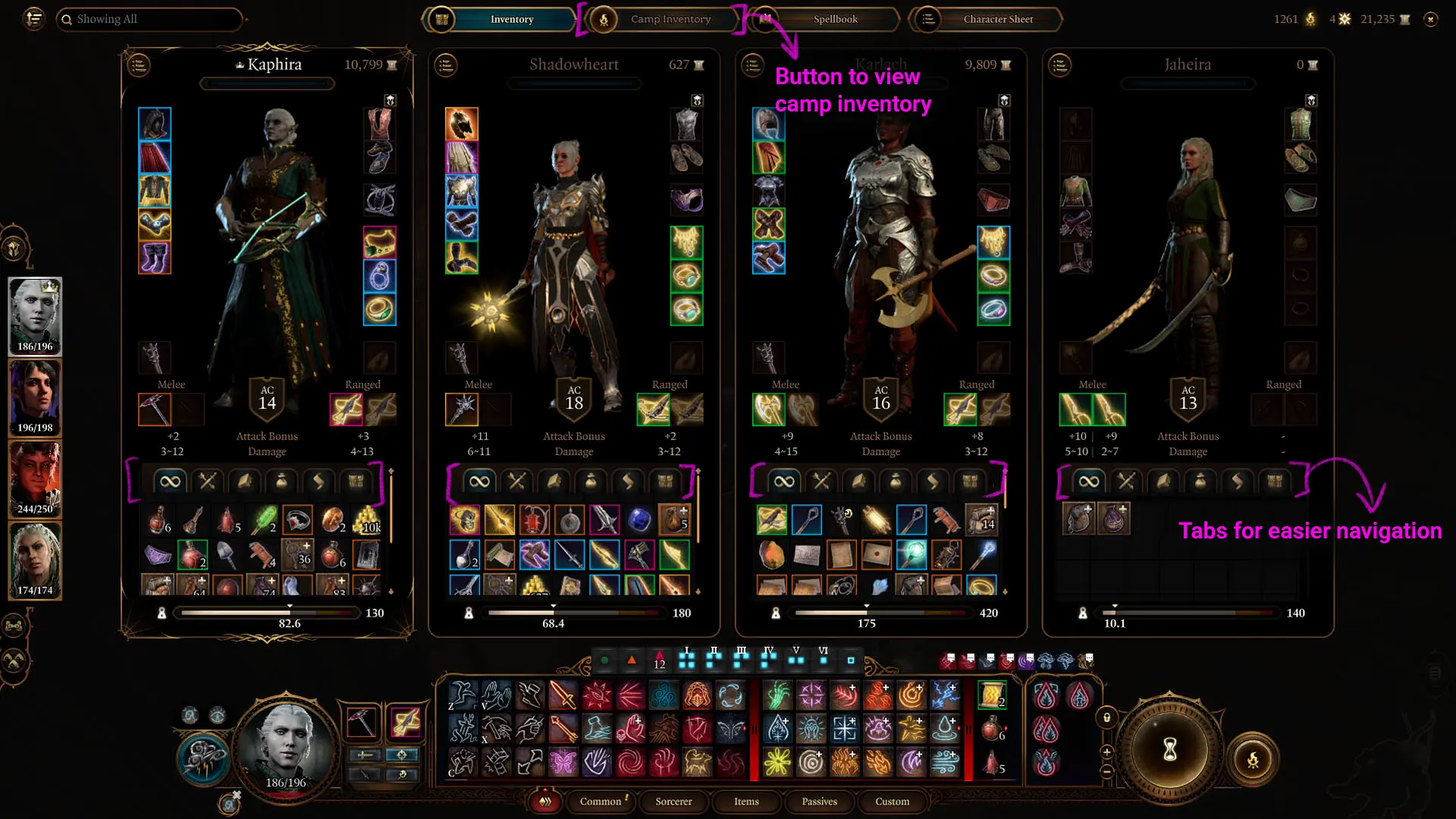
By late game, inventory management can become a challenge in a system as large and item-heavy as Baldur’s Gate 3. Players often struggle to quickly identify item types, track recently acquired gear, and manage wares within increasingly crowded inventories.
The redesign focused on improving clarity and navigation while staying true to the existing interaction patterns. I introduced category tabs for both personal and party inventories, along with a toggle to show or hide wares and clearer visual organization overall. The goal was to reduce friction, help players find what they need faster, and spend less time scrolling through clutter.
MOVE THE SLIDER TO SEE A BEFORE AND AFTER COMPARISON
INDIVIDUAL INVENTORY
PARTY INVENTORY
PARTY SUGGESTION
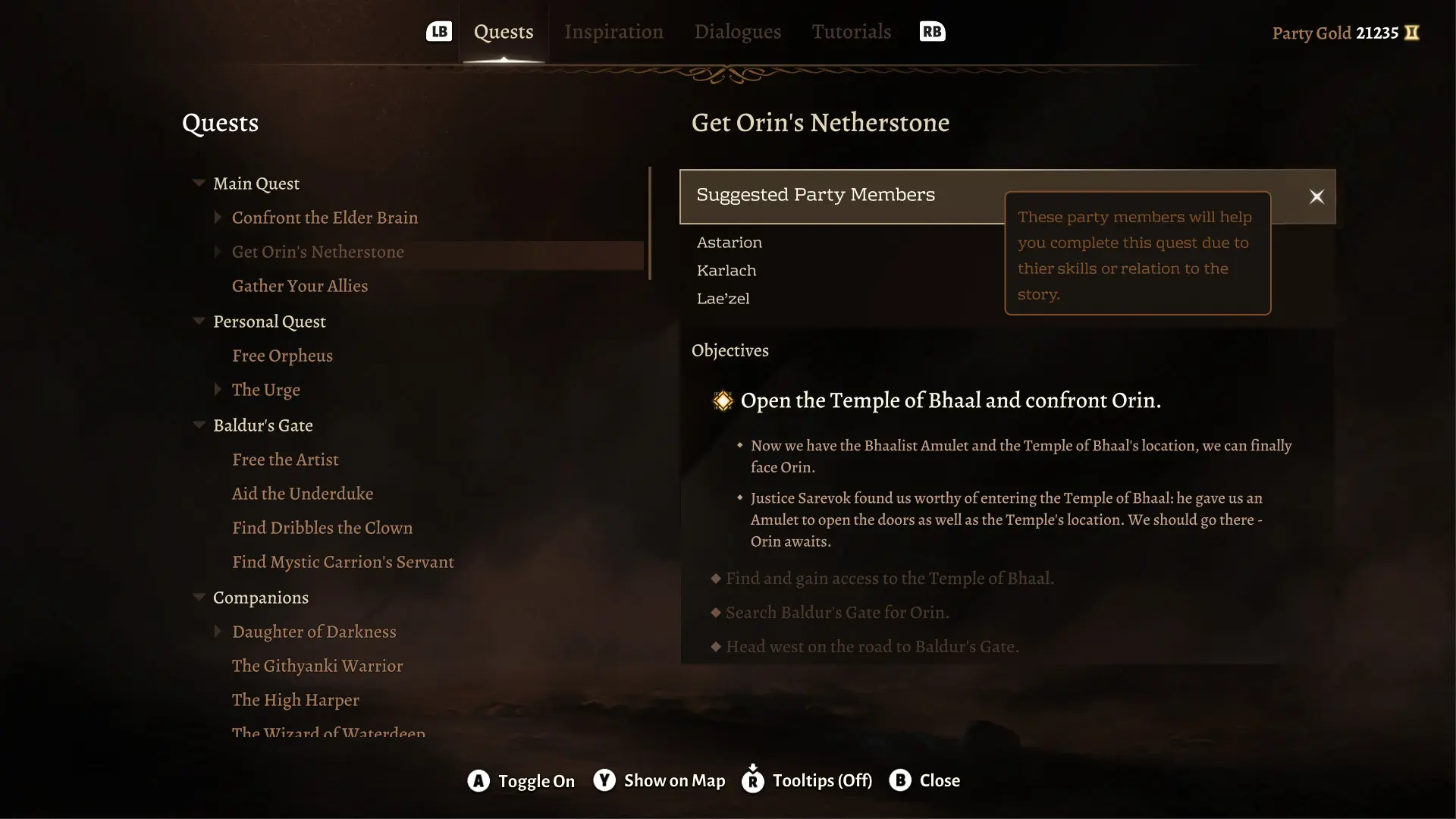
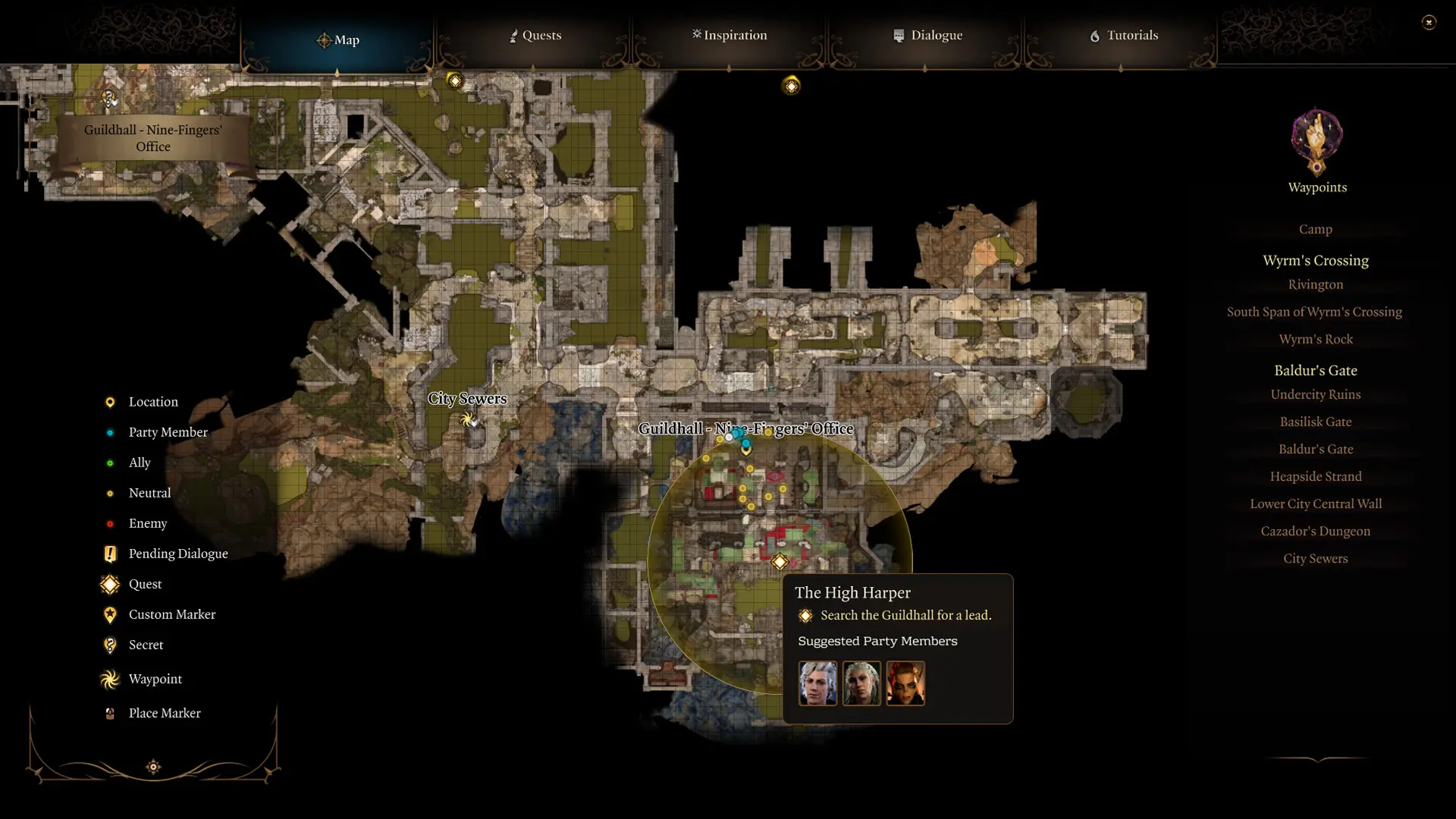
Larian wanted to explore a feature that could help guide party selection based on quest context, which felt especially useful for players still learning companion abilities and figuring out party composition.
Suggested companions appeared within the journal and map experience, with the option to view why a character was being recommended. Party swaps remained camp-based to stay consistent with existing gameplay rules, while recommendations stayed visible throughout the world to support planning. Visual indicators were also used in place of text where possible to better support localization.
The goal was to make party selection feel a little less overwhelming and more approachable, especially for newer players.
PARTY SUGGESTION IN THE QUEST JOURNAL - GAMEPAD
PARTY SUGGESTION ON THE MAP - MOUSE & KEYBOARD
COMBAT MENU
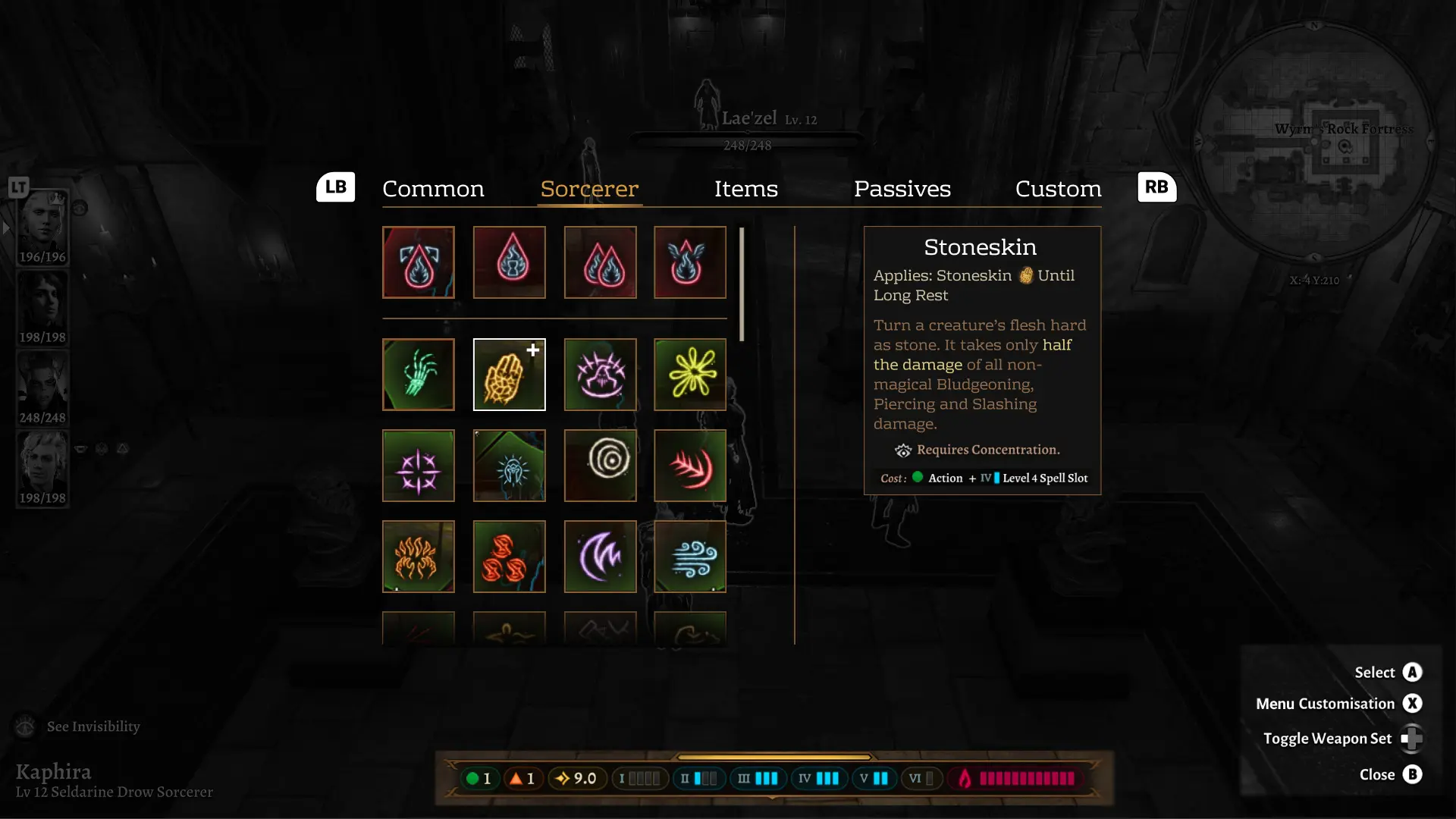
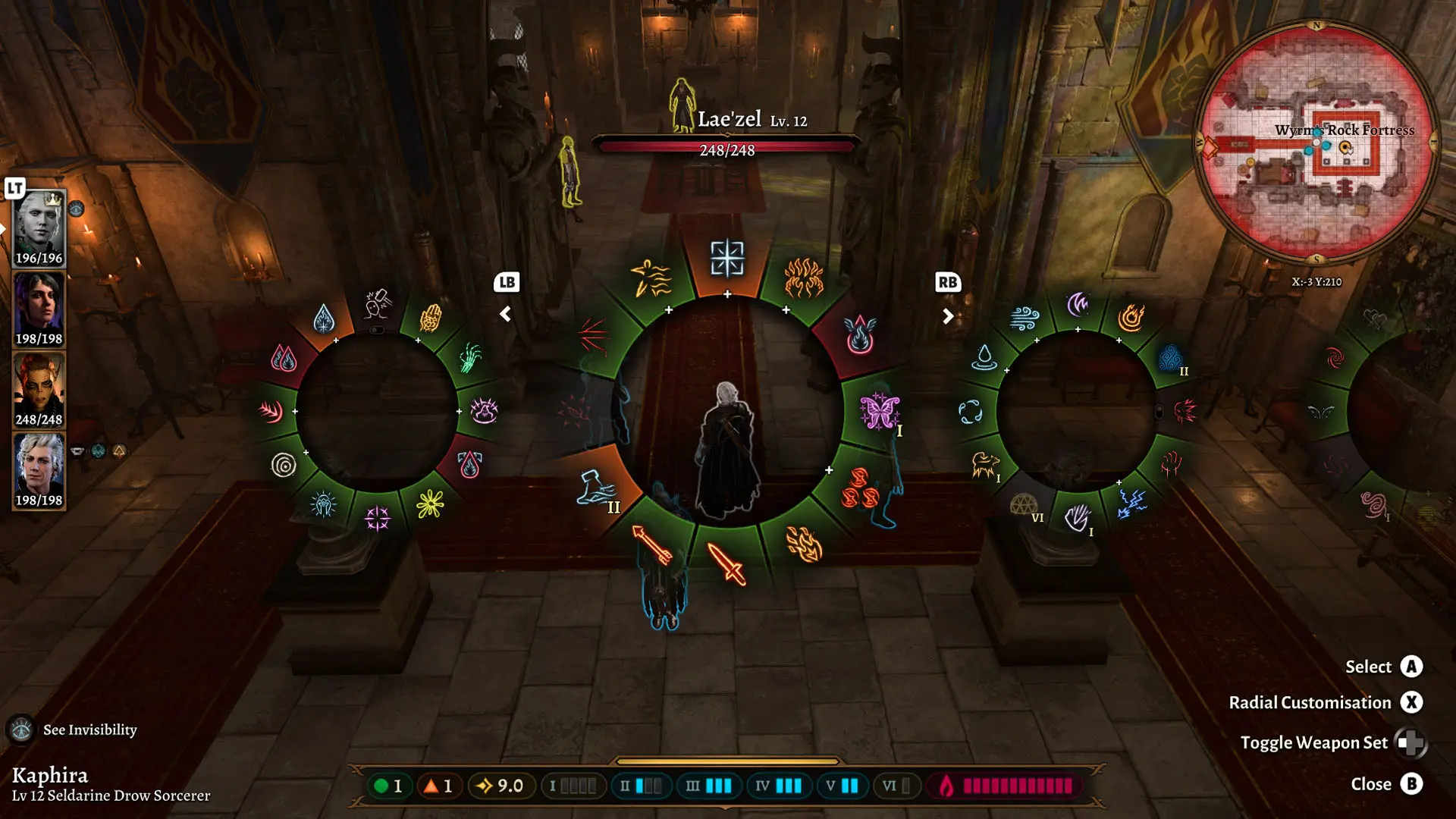
Combat is a huge part of Baldur’s Gate 3, and while keyboard and mouse handled ability management well, the gamepad experience presented some unique challenges. During playtesting, the radial menu worked effectively early on but became harder to navigate as players unlocked more spells and abilities. In late game, sorting through large ability sets could feel cumbersome, and navigating with the analog stick wasn’t always the most intuitive or comfortable experience.
The redesign focused specifically on the gamepad experience, exploring a more familiar grid-based layout that made combat actions easier to scan and navigate using bumper tabs. Spell levels, enhanced abilities like Metamagic, and related actions were grouped more clearly while maintaining strong visual feedback through highlights and animation. The goal was to reduce friction, improve readability, and help players make faster decisions in combat without sacrificing the depth of the system.
MOVE THE SLIDER TO SEE A BEFORE AND AFTER COMPARISON
COMBAT MENU - GAMEPAD
ALL WIREFRAMES
MORE PROJECTS



COPYRIGHT © 2026. ALL RIGHTS RESERVED